Freelance · Monaco and the French Riviera
PrestaShop developer: a store that evolves and keeps selling
Migration to PrestaShop 8 or 9, custom modules, a link to your management software: I handle everything, and you talk directly to the person who writes the code.
Let’s talk about your store See a case study
Reply within one business day
In short
I help PrestaShop stores evolve while they keep selling. I’m Ivan Vujnovic, a web developer for more than ten years, now freelance, based between Monaco and Cannes: you talk directly to the person who writes the code.
| Who it’s for | PrestaShop stores, from 1.6 to 9, that need to change version or gain a feature. |
|---|---|
| What I do | Migration to 8 or 9, custom modules, a link to your management software, a checkout with no waiting, a redesign. |
| How it works | Everything is prepared on a copy, tested from start to finish, then switched over at the moment that disrupts you least. |
| What stays yours | The code, the logins, the hosting and the domain name. |
| Where | From Monaco to Cannes, including Nice, Sophia Antipolis and Antibes; elsewhere, remotely. |
| Quote | Clear and itemised, with a precise timeline after the inventory. Reply within one business day. |
Does this sound familiar?
- “My store still runs on PrestaShop 1.6, and I don’t dare touch anything anymore.”
- “Every update feels like Russian roulette.”
- “A module stopped working after the last update, and nobody knows why.”
- “My team re-enters every order into our management software by hand.”
- “The store is slow, and abandoned carts keep piling up.”
None of this is inevitable. It’s what I’ve been doing every day for over ten years: modernising PrestaShop stores and helping them grow while they keep selling.
What I do for your store
Move to PrestaShop 8 or 9
Your store switches to the new version safely behind the scenes, and keeps selling throughout.
The module you’re missing
Phone orders, referrals, trade pricing: whatever PrestaShop can’t do, I build for you.
No more double entry
Your store and your management software talk to each other: stock, prices and orders up to date on both sides.
A checkout with no waiting
I hunt down whatever keeps your customers waiting, down to needless calls to shipping carriers, and remove it.
A tailor-made redesign
A fresh look for your store, on a clean foundation I know inside out.
Updates under control
Every update is tested on a copy before it reaches your store. I keep watch, you keep selling.
Migrate without the cold sweats
If your store still runs on PrestaShop 1.6 or 1.7, you probably know it already: the move can’t wait forever. Version 1.6 stopped receiving updates long ago, recent servers no longer run it properly, and every month that passes leaves the door open to security holes that will never be fixed.
The real danger is an improvised migration. Between versions 1.7 and 8, PrestaShop was deeply reworked: whole sections of the back office were rewritten, and a custom module can break overnight. Here is how I take that risk off the table, step by step.
- The inventory. I list everything that has been added or changed over the years: modules, theme tweaks, links to your other software. Nothing gets lost along the way.
- A safe copy. I rebuild the store on a copy. Meanwhile, your live site keeps selling as if nothing were happening.
- Bringing it up to date. Every custom feature is adapted to the new version, or replaced when a reliable module already exists.
- Real tests. I place test orders from start to finish: search, cart, payment, shipping, customer emails, and the tools your team uses.
- The switchover. I bring over the latest orders and new customers, then switch at the moment that disrupts you least.
- Aftercare. I keep a close eye on the store in the days that follow, to fix the slightest hiccup right away.
See PrestaShop migration Read the full guide: migrating PrestaShop 1.7 to 8 or 9
Selling outside France
A customer abroad hesitates less when they know the final price before paying, with no unpleasant surprise on delivery. On your PrestaShop store, I set up everything they need to see before ordering: shipping costs for their country, the right VAT for their country, and anything that may remain to pay in customs outside the European Union.
I also add each carrier’s delivery time, tracking in the shipping email, a clear returns page and, if needed, translated versions. Before going live, I place test orders with addresses in several countries, to see the store the way your customers will.
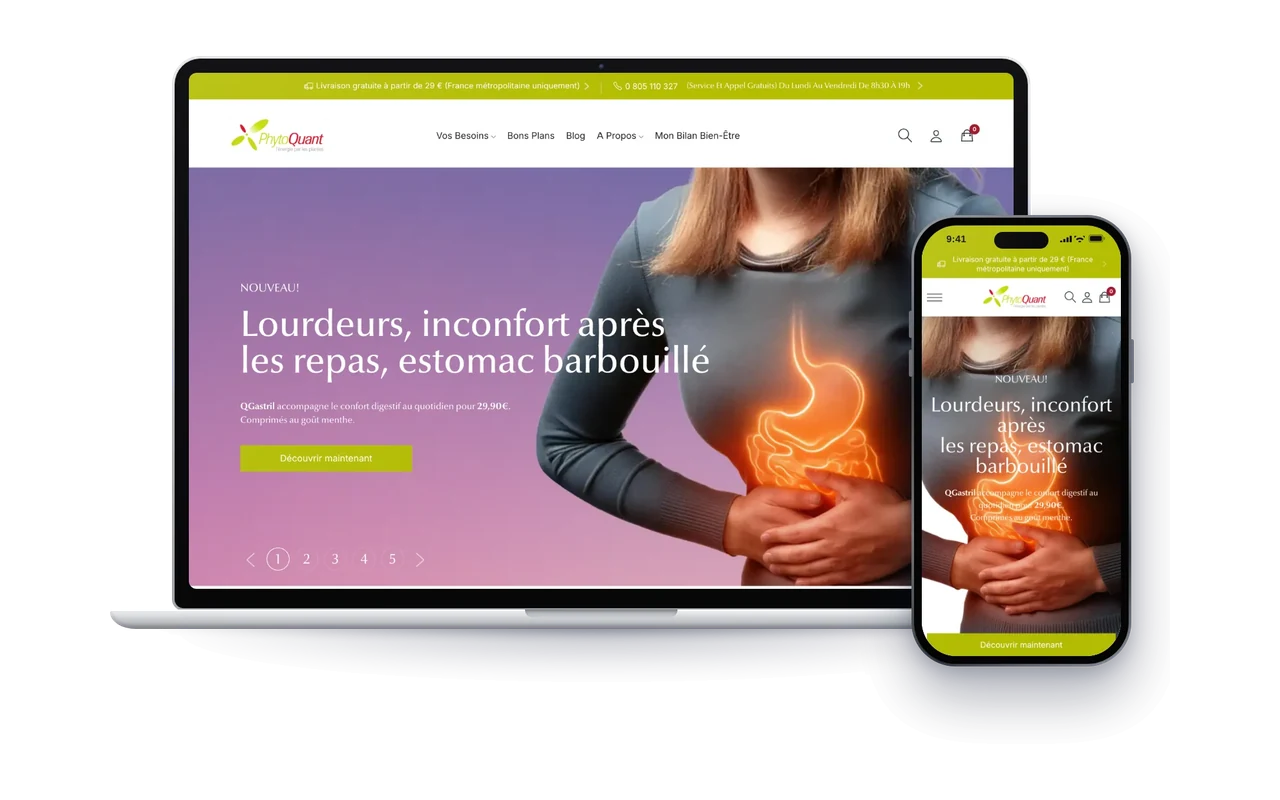
From version 1.7 to version 8, while the store kept selling
The challenge
A store running on PrestaShop 1.7, built up over years of custom development, with part of its orders taken by phone.
What I did
The move to version 8 with a complete redesign, a phone-ordering module for the team, a referral system linking each customer to their practitioner, a loyalty programme, volume pricing, and a two-way link with the company’s Dafi ERP.
The result
More than fifteen custom modules in daily use, and a store I keep improving to this day.
Is your store in the same situation? Let’s talk
The morning after the switchover, the store’s team had to find their tools exactly as they left them.
Why work with me
One point of contact
No middleman: you talk directly to the person who writes the code.
A clear price and timeline
Before we start, I tell you what’s possible, what it costs and when it will be ready.
Everything stays yours
The code, the logins, the hosting, the domain name: everything is in your name, and you keep all the keys.
Long-term support
I don’t disappear after launch: some stores I’ve been looking after for years.
Going further
Slow website: the most common causes and how to fix them
WordPress or PrestaShop site too slow? How to measure its speed, the most common causes and the fixes, from hosting to images.
PrestaShop 9.2: what’s new, and should you update?
One-page checkout, custom fields, an AI assistant: what PrestaShop 9.2 changes for your store, whether you should update, and how to do it safely.

Choosing a web developer on the French Riviera: how to avoid nasty surprises
Where to find candidates, how to compare quotes, what must stay in your name and the phrases that should worry you: how to choose a web developer on the French Riviera.
The questions I get asked most
Do I really need to move off PrestaShop 1.6?
Yes, and the sooner the better. Version 1.6 stopped receiving updates long ago: newly found security holes are no longer fixed, and recent servers no longer run it properly. The longer you wait, the bigger the step.
Does my store stay open during the migration?
Yes. I work on a copy, and your store keeps selling as usual. The switchover only happens at the very end, once everything has been checked.
How long does a migration take?
It mostly depends on how many modules and custom features need to be carried over. Once the inventory is done, I give you a precise timeline.
Can you also work on my store’s SEO?
Yes. Complete product pages, accurate structured data, fast pages, access for the Google and ChatGPT crawlers: I explain this work on my SEO for Google and AI page.
How much does a migration or a custom module cost?
I never quote blind, because no two stores are alike. Tell me about your project: I will send you a clear, itemised quote. Reply within one business day.
Do you only work on the French Riviera?
No. I’m based between Monaco and Cannes and also cover Nice, Antibes and Sophia Antipolis, but I work remotely with stores anywhere too: we talk by video call or email, and you follow progress through a link. For a store in the area, see also my web developer in Nice, web developer in Cannes and web developer in Antibes pages.